Empire IPTV App Guide 2026: Top Players & Easy Setup
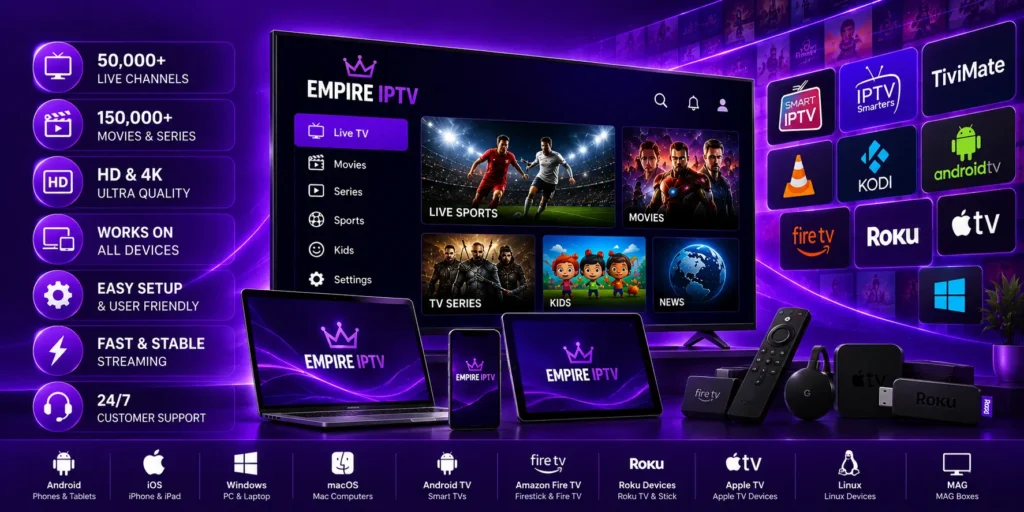
Finding the right empire iptv app is the key to unlocking thousands of live channels, premium pay-per-view events, and on-demand movies in crystal-clear 4K resolution. While the quality of your streaming server is essential, the media player application you install on your Smart TV or streaming box dictates how smooth, fast, and enjoyable your everyday viewing experience will be.
In this comprehensive guide, we explore the top recommended players for your Empire IPTV service, their standout features, and step-by-step instructions on how to activate your subscription remotely in minutes.
Why Choosing the Best Empire IPTV App Matters
An IPTV player is the software interface that connects your television or device to our high-speed streaming servers. According to media streaming standards outlined on Wikipedia, dedicated players decode M3U8 and Xtream Codes playlists directly on your hardware to ensure zero latency and smooth frame rates.
When you select a certified empire iptv app, you gain access to vital features such as:
- Instant Channel Switching: Jump directly to your favorite channel by typing numbers on your TV remote control.
- Electronic Program Guide (EPG): View scheduled TV shows, live sports timing, and upcoming broadcast lineups in real time.
- Multi-Playlist Management: Store up to 3 separate playlists and easily switch between them without re-entering credentials.
- Parental Controls: Restrict sensitive channels or adult categories behind a secure 4-digit PIN code.
- Alphabetical & Category Filtering: Organize thousands of international channels alphabetically (A–Z) or by regional genre.
Top 3 Recommended Apps for Empire IPTV
Rather than using clunky, outdated software that crashes during high-traffic sports events, our technical team recommends three certified, high-performance applications available across Samsung Tizen, LG webOS, Amazon FireStick, Android TV, and Apple TV.
1. HotPlayer — The Most Popular All-Rounder
HotPlayer has quickly become a fan-favorite empire iptv app for Samsung and LG Smart TV owners. It requires zero technical configuration because it relies on simple remote activation. Once installed, HotPlayer displays a unique MAC Address and Device Key on your screen. You simply send those details to our team, and we upload your complete playlist remotely.
- Best For: Everyday television viewers who want a clean, simple remote-friendly interface.
- Standout Feature: Built-in favorites manager that prevents accidental playlist resets.
2. IBO Player — Lightweight and Lightning Fast
If you value lightning-quick channel zapping and immediate video buffering, IBO Player is one of the top applications in the market. It features a streamlined architecture that uses minimal CPU and RAM, making it ideal for Amazon Fire TV Sticks and older Smart TVs that need maximum efficiency.
- Best For: FireStick users and anyone looking for fast channel switching.
- Standout Feature: Dual video decoding engines that prevent buffering during 4K live sports.
3. IBO Player Pro — Premium Performance for Power Streamers
For users who want advanced customization, IBO Player Pro delivers enhanced audio track switching, subtitle synchronization, catch-up TV archives, and custom aspect ratio controls. It offers a truly cinematic living room experience for premium home theaters.
- Best For: Sports fans and home theater enthusiasts watching 4K 60FPS broadcasts.
- Standout Feature: Hardware acceleration and customizable EPG grid layouts.
Step-by-Step: How to Set Up Your Empire IPTV App
Getting your service activated takes less than five minutes. Follow these simple steps to start streaming immediately:
- Install the App: Open the official App Store on your Smart TV (Samsung Apps, LG Content Store, Google Play Store, or Amazon Appstore) and search for HotPlayer or IBO Player. Download and install the app.
- Find Your Device Identifiers: Launch the application. On the welcome screen or in the settings menu, locate your MAC Address and Device Key.
- Send Us Your Details: Visit our official Empire IPTV App activation page or contact our 24/7 team directly via WhatsApp with your code.
- Instant Remote Activation: Our engineers remotely link your Empire IPTV playlist directly to your app. Reload your player, and your full channel lineup, sports packages, and movies will appear automatically!
Device Compatibility Overview
The beauty of our streaming infrastructure is universal device support. You can enjoy your subscription across virtually any screen in your household:
- Smart TVs: Samsung (Tizen OS 2017+), LG (webOS 3.0+), Sony, TCL, Philips, and Hisense.
- Streaming Devices: Amazon Fire TV Stick (4K & Max), Nvidia Shield TV, Chromecast with Google TV, and Apple TV 4K.
- Mobile & Tablets: Android phones, tablets, iPhones, and iPads.
- Computers: Windows PC, macOS, and Linux via IPTV Smarters Pro or VLC Media Player.
Frequently Asked Questions About the Empire IPTV App
Do I need to pay for the player app separately?
Most premium media players (such as HotPlayer and IBO Player) offer a free 7-day trial period upon installation. After the trial, they require a one-time lifetime license fee (usually around $5–$8) directly paid to the app developer. This small fee guarantees ongoing app updates and top-tier streaming security.
Can I use my Empire IPTV subscription on multiple devices?
Yes! We offer flexible subscription packages supporting 1 to 4 concurrent connections. You can set up the empire iptv app on your living room Smart TV, bedroom FireStick, and mobile phone simultaneously without signal conflicts.
What internet speed do I need for buffer-free streaming?
To stream High Definition (HD) channels smoothly, a minimum connection of 15 Mbps is recommended. For Ultra HD 4K live sports and video-on-demand, we suggest a high-speed connection of 30 Mbps or higher.
Start Streaming with Empire IPTV Today
Ready to upgrade your home entertainment? Explore our flexible subscription plans on our Empire IPTV plans page or test our ultra-fast servers with a full-access 24-hour trial today. Connect with our dedicated support team, and start enjoying premium global entertainment on your favorite empire iptv app in minutes!